
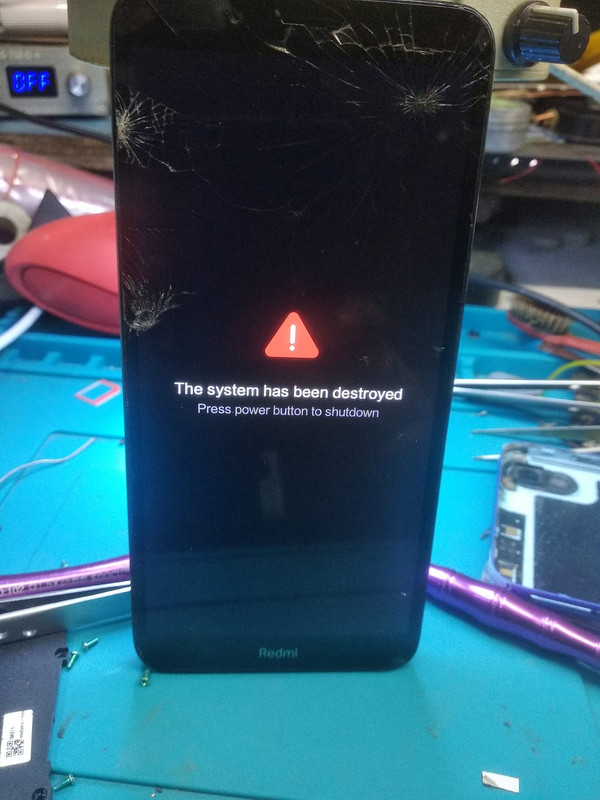
Start with a straightforward reboot. Turn off the Redmi 7A, let it a little period of time, and then turn it back on.
2. Enter Recovery Mode:
Boot the device into recovery mode.(usually the Volume Up and Power buttons) during boot. Once in recovery mode, you may have options to wipe cache partition or perform a factory reset.
3. Factory Reset:
If you can access recovery mode, consider performing a factory reset. This will erase all data on the device,
Boot into recovery mode.
Select "Wipe data" or a similar option.
Confirm and wait for the process to complete.
Reboot the device.
4. Flash Stock ROM:
If the above steps don't fix the issue, you might need to flash the firmware on the device. This Mi Flash or Fastboot. gsmliton97 website have the flash file

5. Contact Support:
Contact us for full flash tool
Important Notes:
Flashing firmware or performing a factory reset will erase all data on the device. Follow the our instructions provided by gsmliton97 for your device model.
If the device is under warranty, Contact Xiaomi's official support.
link speed slow
